Every tool
Jira, Airtable, Slack, Drive, the wiki, and the spreadsheets all feed one record.
Nobody has to migrate or change how they work. ArtHound sits on top of the tools you already have and ties them together.
You're running an AAA or live-ops season across your own tools and a roster of outside vendors.
ArtHound keeps all of it on one record, so you can plan with AI and send work out without losing the thread.
You're an art or outsourcing partner taking briefs from studio after studio, each one in a different tool.
ArtHound lands their work straight in yours, and keeps your status and estimates flowing back.
For studios
Plan the season, send work out, and watch it come back to one record.
Nobody has to migrate or change how they work. ArtHound sits on top of the tools you already have and ties them together.
Each handoff is a frozen snapshot you can pull back, and every view is logged. The asset stays linked to your record the whole time.
Scenario planning runs on your own estimates and dependencies, and on the estimates your vendors send back.
For vendors
Take briefs in cleanly, map them once, and share status and estimates back.
No more re-keying a studio's spreadsheet by hand. Map the fields once and reuse it on the next drop.
The studio sees the same asset you do, so reviews and status don't get lost in email.
Share a frozen estimate with the studio, so their plans run on your real numbers instead of a guess.
How it works
ArtHound runs on top of the tools you already use, so your team keeps working exactly where they do now.
Sign in to Jira or Airtable, or upload a CSV. ArtHound reads from your tools and writes back to them, so your data stays where it lives.
Every asset becomes one stable record, organized as Product, Asset, and Work. Syncs only move what changed, and we flag it when a field's shape drifts.
Run AI scenarios, send work to vendors safely, and ask your agents about any of it. All of it reads from the same clean data.
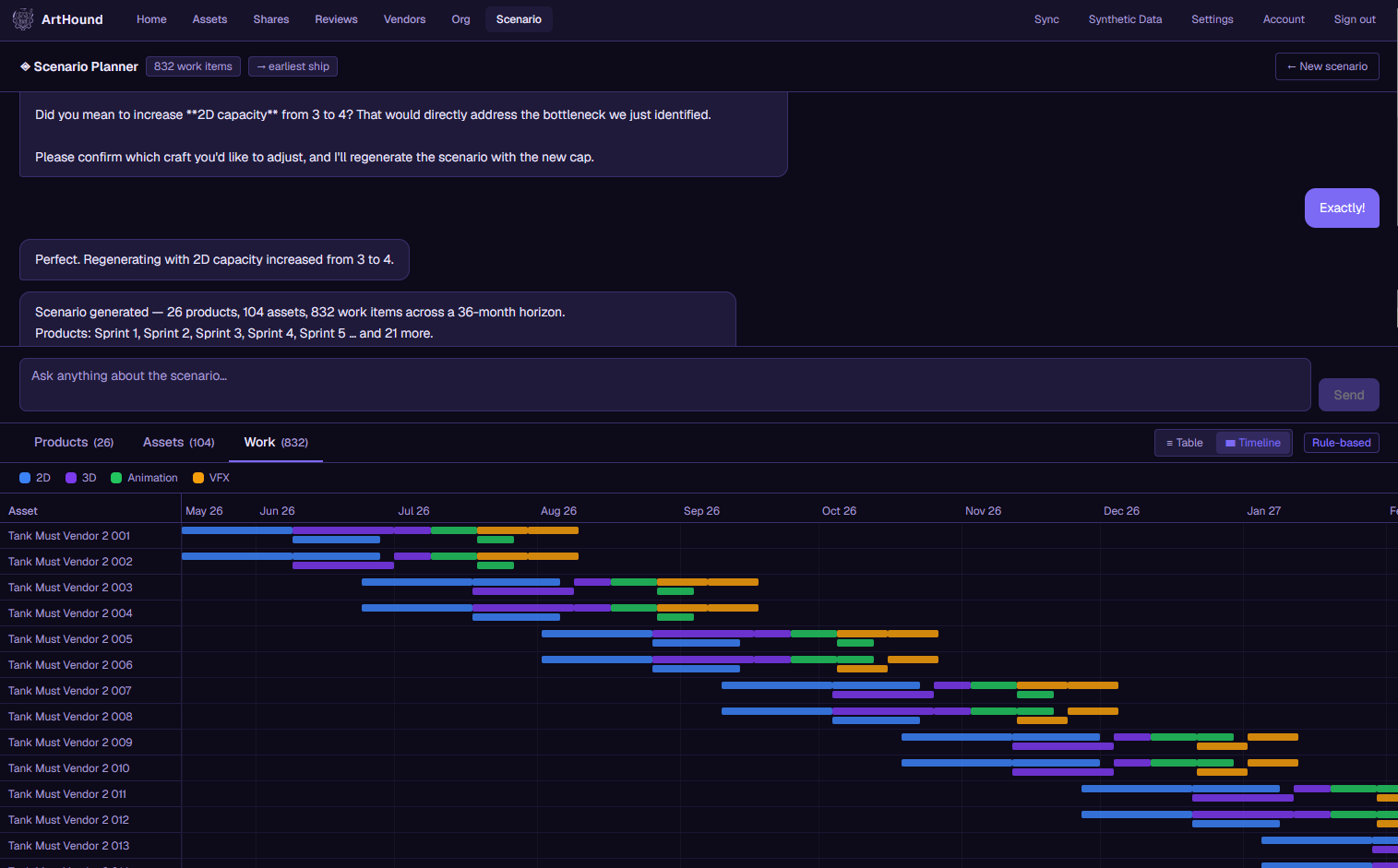
Plan · AI scenario planning
What used to take a senior producer a full day in spreadsheets now takes about three questions. It runs on your studio's own estimates and dependencies, so the answer reflects how you actually work.
Ask something like "what happens if I add a second 2D artist," and watch your completion dates move in real time. The scheduling math comes from a real engine you can check, and the AI just helps you ask the question.
Receive · Brief intake
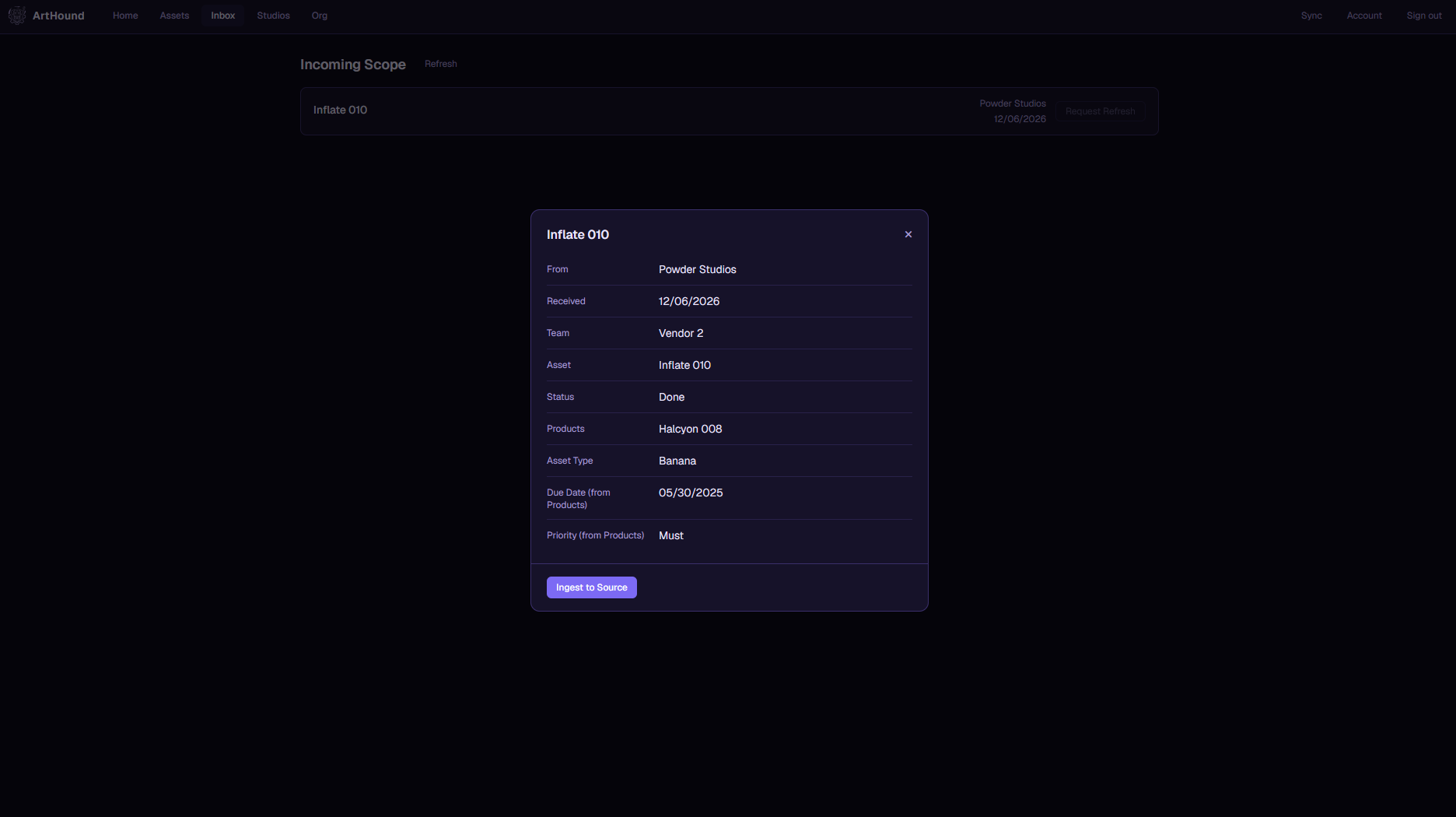
When a studio sends you work, it shows up in your own Jira or Airtable with the fields already lined up. No more reading a brief out of someone else's spreadsheet and typing it back in by hand.
Save a mapping once and the next drop from that studio comes in with a click. You stay in the tool your team already knows.
Collaborate · Studio ↔ vendor
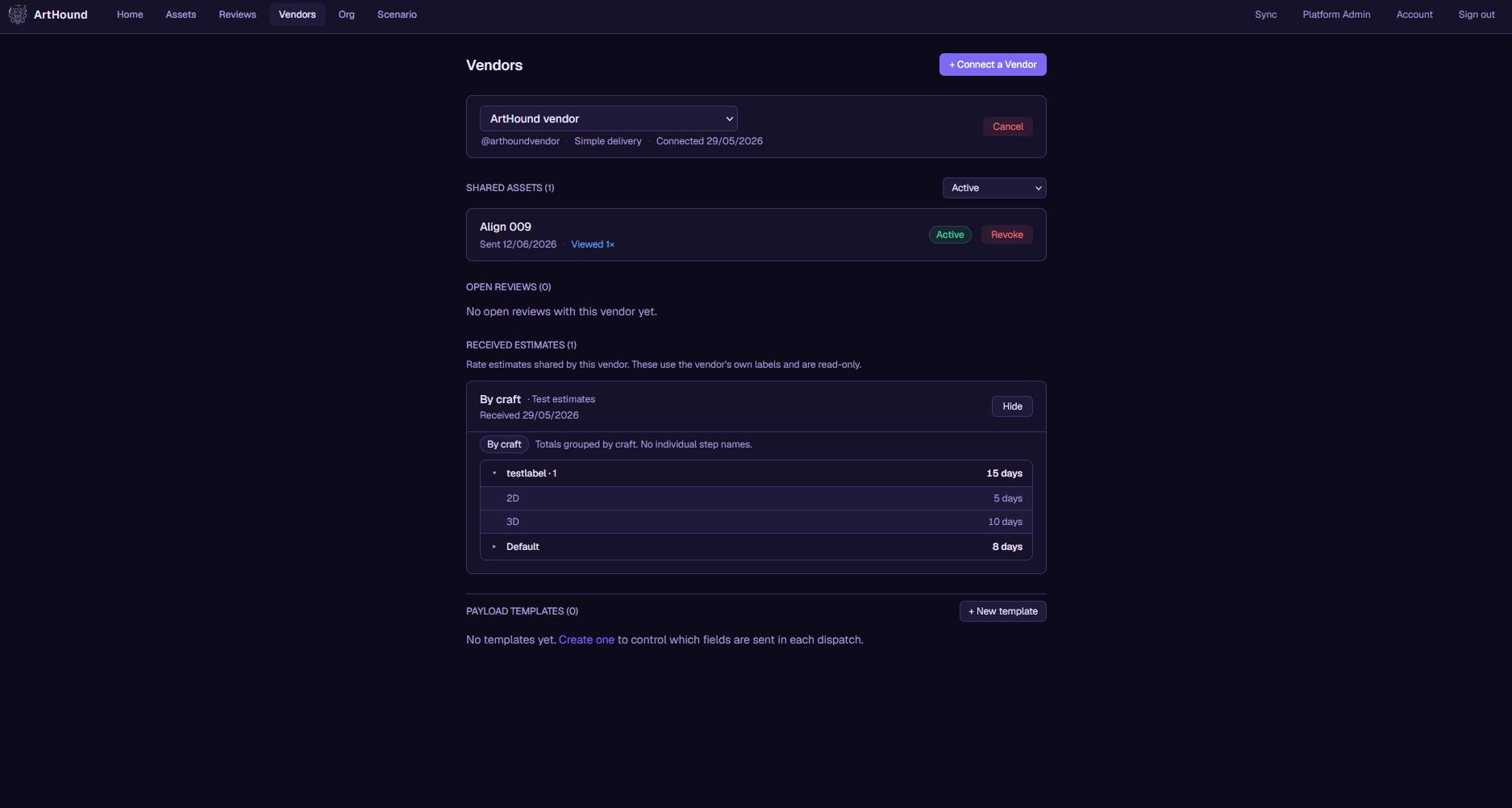
Send a snapshot of the work straight into your vendor's tool. You choose what goes in it, you can pull it back whenever you want, and the two records stay linked for as long as the asset is in production. Briefs, files, and the supporting detail go along with it.
Both sides review against the same asset record, so feedback doesn't get lost in email. Vendors can send their estimates back to you too, which means your scenario plans run on their real numbers instead of your best guess.
Collaborate · Studio ↔ vendor
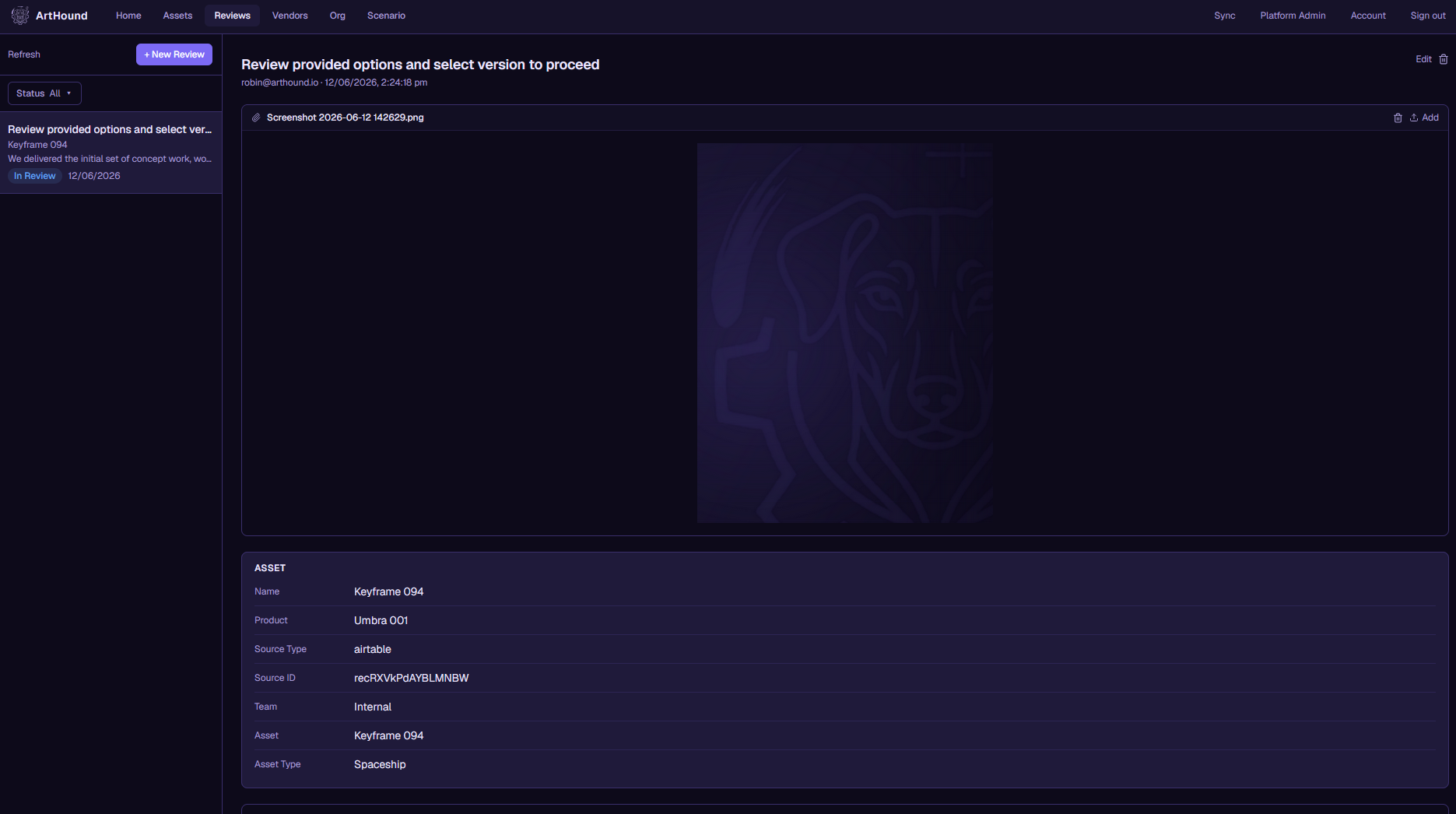
Review on your side against the same asset the studio sees, so notes and approvals don't scatter across inboxes and chat threads. Everyone is looking at one record.
Send your estimates back as a frozen snapshot. The studio plans against your real numbers, and the two of you stay on the same page from brief to delivery.
Security & trust
Studios hand us pre-release assets, schedules, and production plans. Keeping that data separate and traceable is built into the database itself, rather than something we added later.
Every table uses row-level security. One studio's data simply can't be seen by another company, and that's enforced down in Postgres, not only in the app code.
Your Jira and Airtable tokens are encrypted where they are stored. They never show up in our logs or get passed around the app.
Anything you send to a vendor is a snapshot you can revoke or set to expire. The moment you cut access, it is gone.
We log every send, every view, and every revoke. If you ever need to show who looked at something, the record is there.
Data only moves between organizations when there is a deliberate link, a dispatch you sent, or an action you took yourself.
Agents read through a permission layer. They never touch raw data belonging to another tenant.
Unify · The canonical layer
Each asset gets a single record that holds up through syncs, vendor deliveries, and reviews. The same ID carries it through your Jira, into your vendor's Airtable, and across every review in between.
Syncs only move what actually changed, and if a field changes shape we tell you instead of quietly dropping it. Switch source tools down the line and the asset's identity stays intact, because the ID was never tied to any one tool.
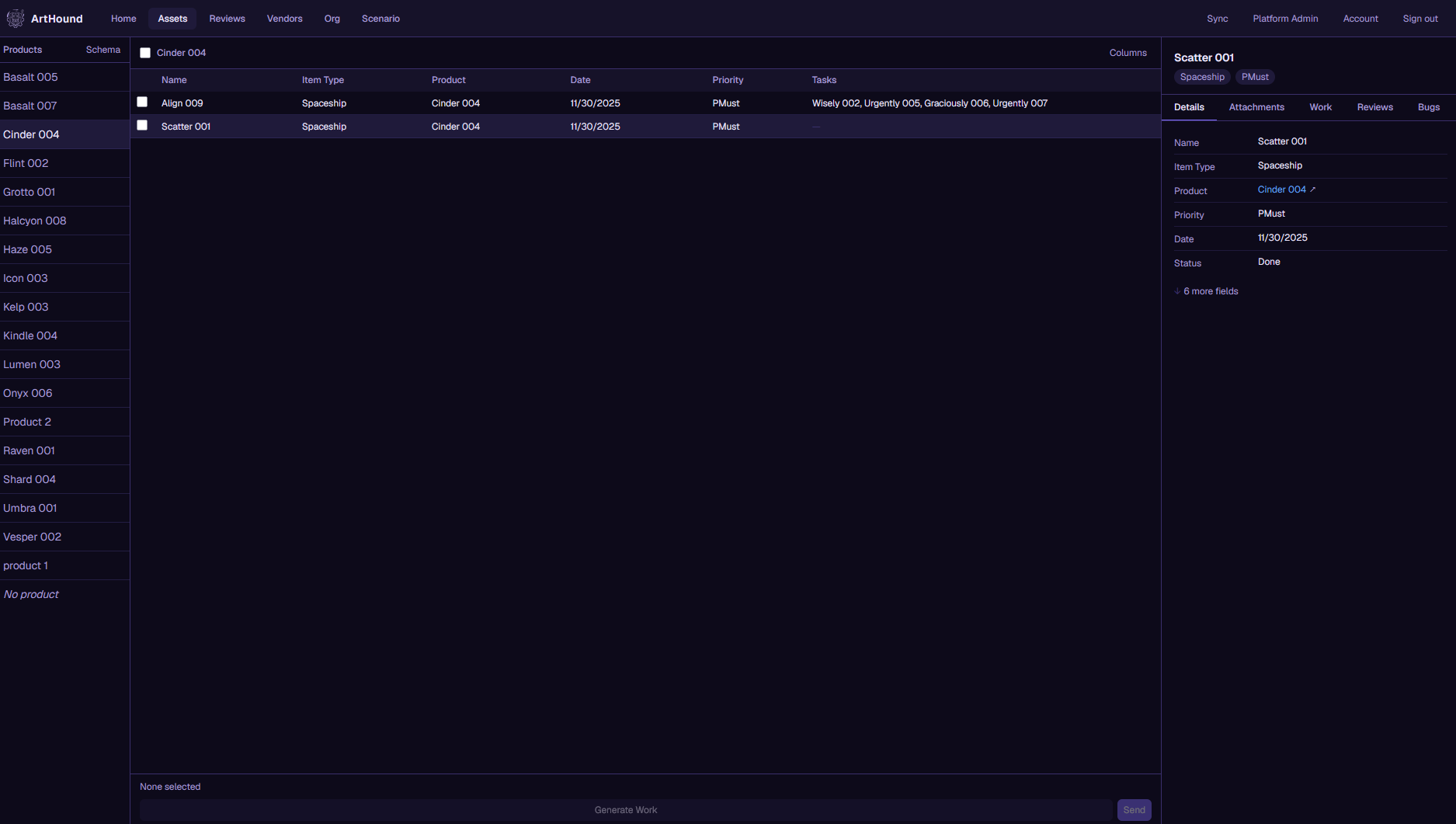
Unify · Your canonical record
Everything you take in links straight to the studio's canonical asset, so the same piece of work is connected on both sides from day one. No guessing which version is current.
Delta sync keeps it up to date, and schema drift gets flagged instead of quietly breaking. Change tools later and the link holds, because identity was never tied to one tool.
Ask · Agents on the layer
The structure already lives in the data, so the agents don't need much prompting to work. They read from your canonical layer instead of hunting through chat threads and attached files. The agents are the easy part. What makes them useful is the data underneath.
NumberBot and LoreBot are running today. You can also bring your own model in over MCP, and it gets access to exactly the data you choose to give it.
ScentHounds in action, screenshot coming soon
Ask · Clean data for agents
Because your deliveries land as structured records instead of loose files, the studio's agents can actually use them, and your work shows up correctly everywhere it matters.
Want to point your own model at your slice of the data? Bring it in over MCP and it joins the pack, scoped to exactly what you allow.
Clean data for agents, screenshot coming soon
The bet
Three building blocks, drawn from fifteen years of how production actually runs. The structure comes first, before any prompt.
The thing you're making. A game, a season, or a milestone.
A single piece of that work, with one identity it keeps everywhere.
The actual tasks, pulled from your tools or created in ArtHound.
The category
It isn't a tracker, a database, or another single-studio scheduler. It's the connecting layer the industry has been faking with spreadsheets for fifteen years.
ArtHound pulls from your source tool and writes changes back to it. There is nothing to migrate, and your team keeps working where they always have.
FAQ
No. ArtHound reads from the tools you already use and writes back to them. There is nothing to migrate, and your team doesn't have to change how they work.
Your vendors map the fields you send into their own tool. The two records stay linked for as long as the asset is in production, so the same piece of work stays connected across both companies.
A few ways. Your data is isolated at the database level, your source credentials are encrypted, anything you send to a vendor can be revoked or set to expire, and every access is logged. Nothing moves between companies unless you set up a link or do it yourself.
The canonical IDs don't depend on any one tool. If you switch later, the asset's identity and history come with you, because the record was never tied to the tool in the first place.
No. The scenario numbers come from a fixed scheduling engine that uses your real estimates and dependencies. The AI handles the conversation, but it doesn't invent the figures. When agents answer questions, they are reading live production data, not scraping old chat threads.
Early access
If you're running production across outside vendors or a spread-out team, get in touch. We'll walk you through what ArtHound can do for your pipeline.